Hunting Lateral Movement with Splunk and Atomic Red Teams
Active Directory home lab simulating real-world attacks and detections using Splunk, Kali Linux, and Atomic Red Team.
KEYWORDS
TensorFlow, Deep Learning, CNN, Inception Architecture, Medical Imaging, Image Classification, Supervised Learning
I Built a Home Cybersecurity Lab — Here’s Everything I Learned
If you’re trying to break into cybersecurity, there’s one piece of advice you’ll hear over and over: build a lab. So I did. Here’s how I set up a fully functional Active Directory environment with a Splunk SIEM, a Kali Linux attacker machine, and Atomic Red Team — and what I learned along the way.
The Blueprint
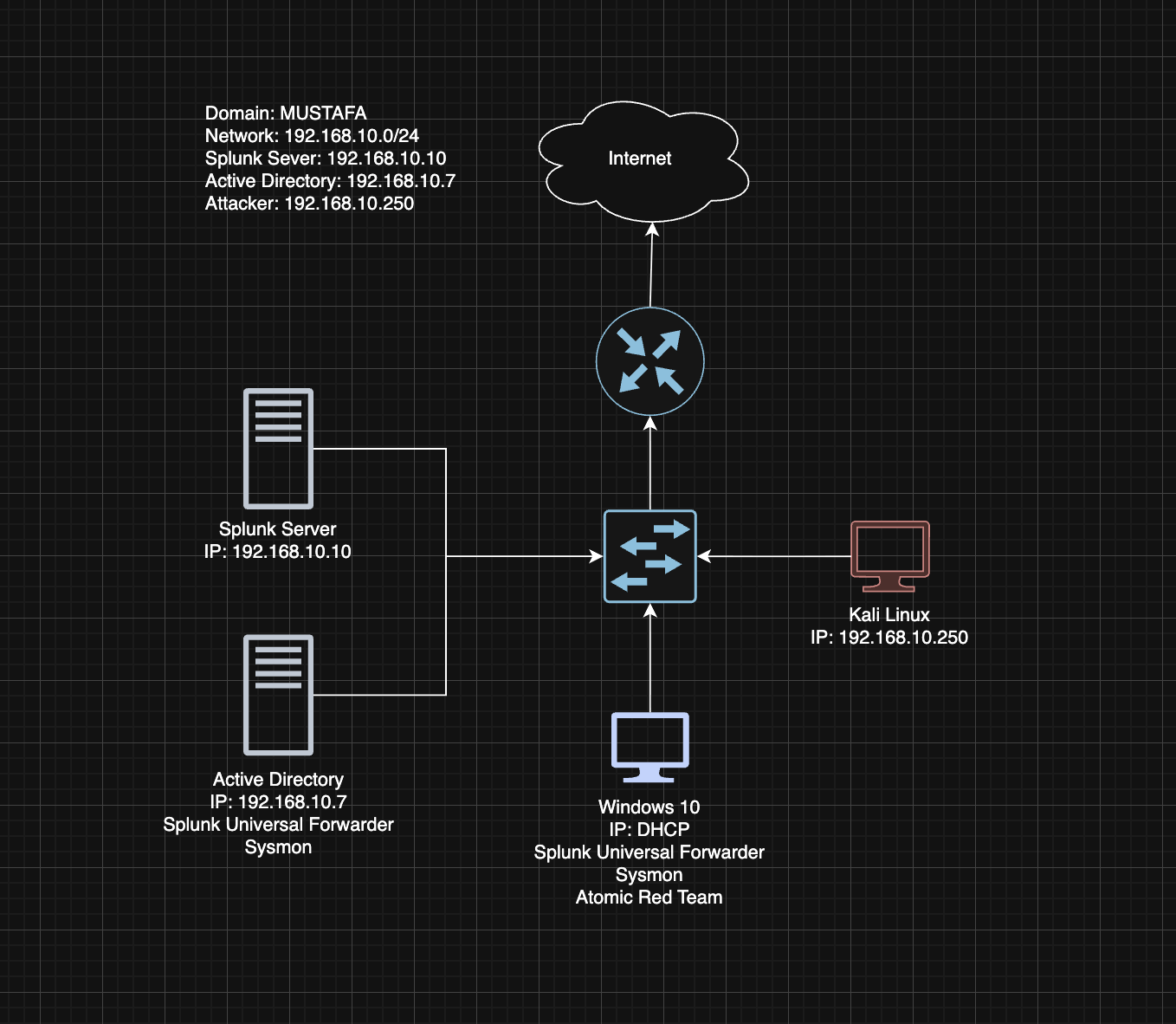
Before spinning up a single VM, I drew out a network diagram. Four machines, one network (192.168.10.0/24), all isolated in a VirtualBox NAT Network:
| Machine | Role | IP |
|---|---|---|
| Ubuntu Server | Splunk SIEM | 192.168.10.10 |
| Windows Server 2022 | Active Directory DC | 192.168.10.7 |
| Windows 10 | Target Machine | 192.168.10.100 |
| Kali Linux | Attacker | 192.168.10.250 |
Planning before building saved me hours of headaches — and it’s a great thing to walk through on a whiteboard in interviews.
Setting Up the Stack
Splunk (on Ubuntu Server)
I configured a static IP, transferred the Splunk .deb package over via a shared folder, and had the web UI running at http://192.168.10.10:8000 in under an hour. Both the Windows 10 target and the Domain Controller got Splunk Universal Forwarders installed, piping Windows Security, Application, System, and Sysmon logs into an index called endpoint.
One thing to remember: always create your inputs.conf under local\, never touch the default one. And run the SplunkForwarder service as Local System — otherwise it won’t have permission to read the event logs.
Active Directory (on Windows Server 2022)
I promoted the server to a Domain Controller with the forest root domain mustafa.local, then created two Organizational Units with test users:
- IT →
jsmith(Jenny Smith) - HR →
tsmith(Terry Smith)
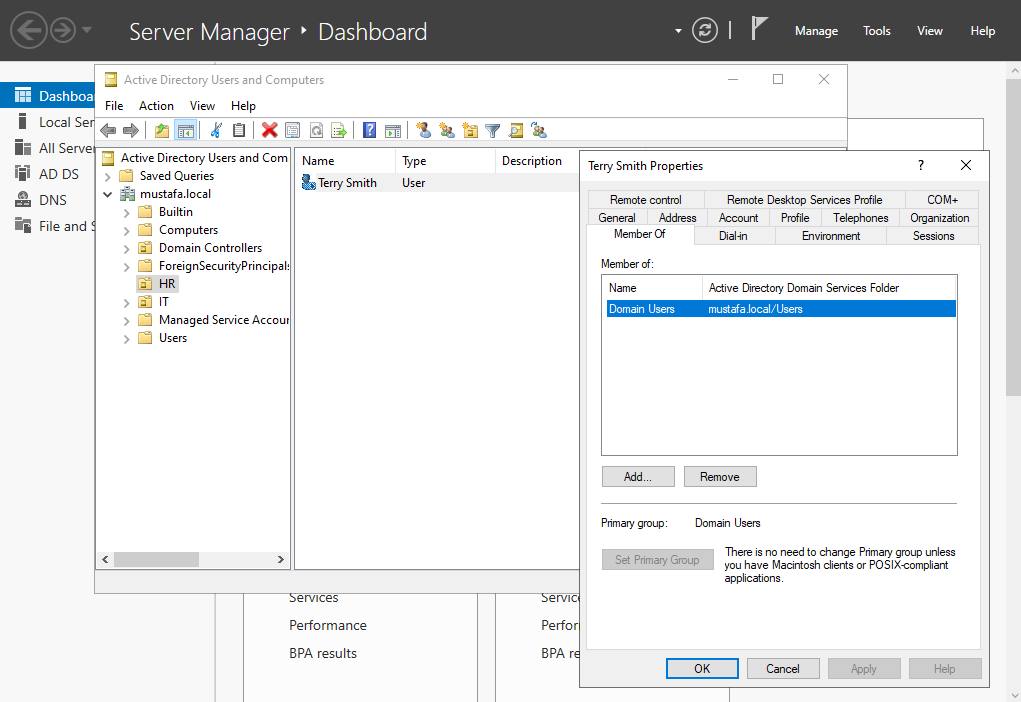 Creating Active Directory with Test Users
The first attempt to join the Windows 10 machine to the domain failed immediately. The culprit? DNS. The target was still pointing to 8.8.8.8 instead of the DC. Swap that to 192.168.10.7 and everything clicks into place. DNS is everything in Active Directory.
Simulating a Real Attack
With the lab running, it was time to break things on purpose.
I enabled RDP on the Windows 10 target and fired up Crowbar from Kali to brute-force tsmith’s credentials using a trimmed rockyou.txt wordlist:
1
crowbar -b rdp -u tsmith -C passwords.txt -s 192.168.10.100/32
Then I jumped into Splunk and searched:
1
index=endpoint tsmith
The results were textbook:
- A flood of EventCode 4625 — failed logon attempts from the brute-force
- One EventCode 4624 — a successful logon, with the Kali machine’s IP sitting right there in the event details
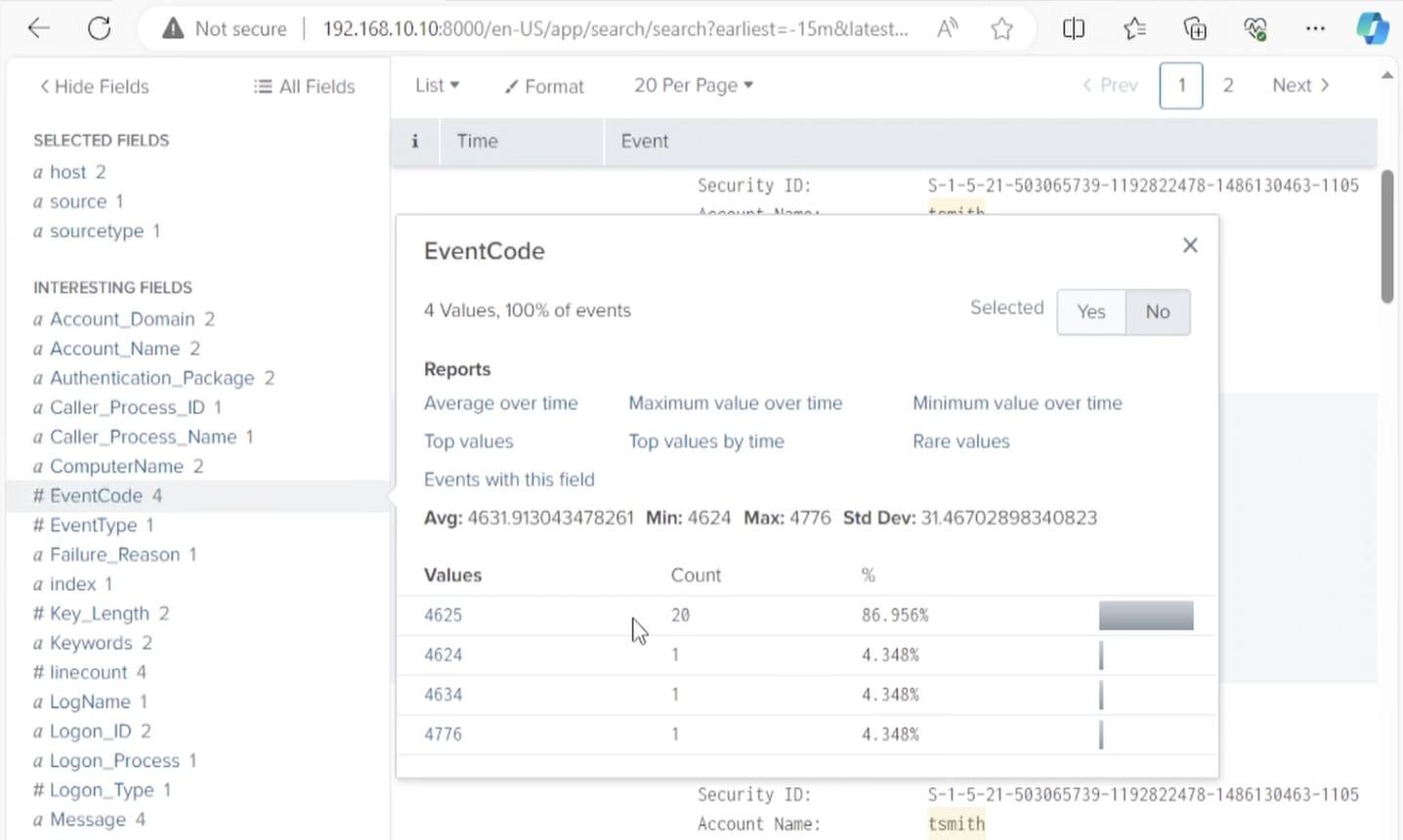 Splunk logs on Event Codes 4625 (Failed Logins) and 4624 (Successful Login)
That’s your detection. That’s the alert you’d build in a real SOC.
Atomic Red Team: Finding Your Blind Spots
Atomic Red Team lets you simulate specific MITRE ATT&CK techniques against your own environment to see what your logging actually catches — and what it misses.
After installing it on the Windows 10 target, I ran two tests:
Local Account Creation (T1136.001)
1
Invoke-AtomicTest T1136.001
This spun up a new local user called newlocaluser. A quick Splunk search confirmed whether the event was captured — a simple but effective visibility check.
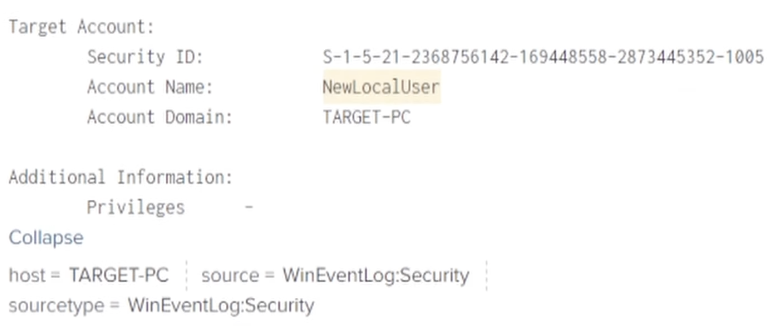 Logs on NewLocalUser
PowerShell Abuse (T1059.001)
1
Invoke-AtomicTest T1059.001
Defender flagged it, and Splunk showed the suspicious command line containing -ExecutionPolicy Bypass -NoProfile — exactly the kind of indicator you’d write a detection rule around.
What I’d Tell Anyone Starting Out
- Draw your network first. It clarifies your thinking and looks great in an interview.
- DNS breaks everything in AD. When domain joins fail, check DNS before anything else.
- Know what attackers want. The
ntds.ditfile on your DC holds all the password hashes in the domain — it’s target number one for a reason. - 4625 and 4624 are your brute-force fingerprints. Learn them, alert on them.
- Atomic Red Team + MITRE ATT&CK is a powerful combo for finding gaps in your detection coverage.
- Snapshot everything. Take one at every stable milestone. You’ll thank yourself the first time something breaks.
Building this lab gave me hands-on experience with tools I now talk about confidently in interviews. If you’re on the job hunt in cybersecurity, there’s no better investment of a weekend.