How I Automated 80% of SOC Triage with Tines & LimaCharlie
End-to-end automated security detection and response pipeline integrating LimaCharlie (EDR) with Tines (SOAR), Slack, and email.
KEYWORDS
Generative AI, LLMs, RAG Architecture, ChromaDB, LangChain, Ollama
SOAR EDR Detection & Response Automation Project
Overview
Built an end-to-end automated security detection and response pipeline integrating LimaCharlie (EDR) with Tines (SOAR), Slack, and email. The project simulates a real SOC workflow — detecting a credential-dumping tool on an endpoint, alerting analysts with rich context, and automating machine isolation based on analyst input.
Tools & Technologies
| Tool | Role | |——|——| | LimaCharlie | EDR platform — detects threats, collects telemetry, isolates endpoints | | Tines | SOAR platform — orchestrates the automated playbook and analyst prompts | | Slack | Real-time alert notifications and isolation status updates | | Email | Secondary alert channel with HTML-formatted detection details | | Lazagne | Open-source password recovery tool used as the simulated threat | | Vultr | Cloud provider used to spin up the Windows Server endpoint | | draw.io | Workflow diagramming tool used to design the playbook before building it |
What I Built
Part 1 — Playbook Design
Designed the full incident response workflow in draw.io before touching any tooling. Mapped out the complete logic covering detection, notification, analyst decision-making, and automated response with conditional branching for both isolation and non-isolation paths.
Part 2 — Endpoint & EDR Setup
- Deployed a Windows Server on Vultr and secured it with a scoped firewall (RDP restricted to trusted IPs only)
- Created a LimaCharlie organization, generated an installation key, and deployed the LimaCharlie EDR agent on the Windows Server via PowerShell
- Verified the endpoint was enrolled and generating telemetry — including process events, network connections, file system activity, and timeline logs
Part 3 — Threat Simulation & Detection Engineering
- Downloaded and executed Lazagne (
lazagne.exe all) on the endpoint to simulate a credential dumping attack - Disabled Windows Defender real-time protection to allow execution and generate real telemetry
- Identified the resulting
new processevent in LimaCharlie’s timeline and extracted key fields (file path, command line, hash, parent process) - Built a custom Detection & Response (D&R) rule in LimaCharlie targeting Lazagne using four conditions under an
ORoperator:- File path ends with
lazagne.exe - Command line ends with
all - Command line contains
lazagne - File hash matches Lazagne’s known hash
- File path ends with
- Set case sensitivity to false, added metadata (author, tags, description), and validated the rule using LimaCharlie’s built-in rule tester with a real event sample
- Confirmed live detections appeared in the LimaCharlie detections tab after re-running
lazagne all
Part 4 — Platform Integration
- Created a Slack workspace with a dedicated #alerts channel for detection notifications
- Created a Tines account and built a new story with a webhook action to receive detections
- Configured a LimaCharlie Detection Output pointed at the Tines webhook URL, so every triggered rule automatically pushes data into Tines
- Validated the full pipeline by running Lazagne, confirming the detection appeared in LimaCharlie, flowed through to Tines, and matched all expected fields (title, command line, file path, hash, hostname)
Part 5 — Automated Playbook Build
Built the complete automation playbook in Tines:
Alert Notifications
- Connected Tines to Slack via the Tines Slack app and OAuth credentials
- Built a Slack alert action that sends structured detection messages to #alerts containing: detection title, timestamp, computer name, username, internal IP, file path, command line, sensor ID, and a direct link to the detection
- Built a parallel email alert action with the same fields, formatted with HTML line breaks for readability
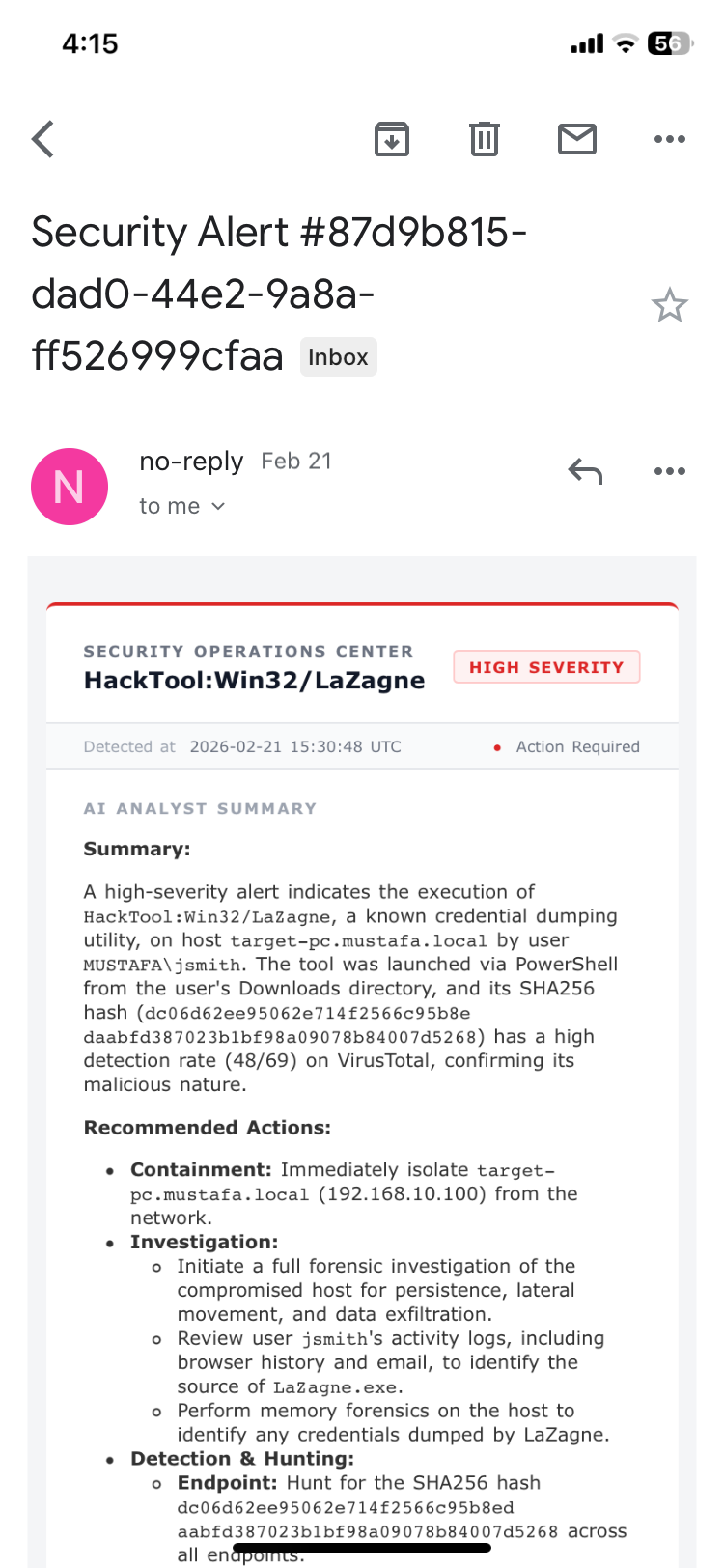 Mail Received
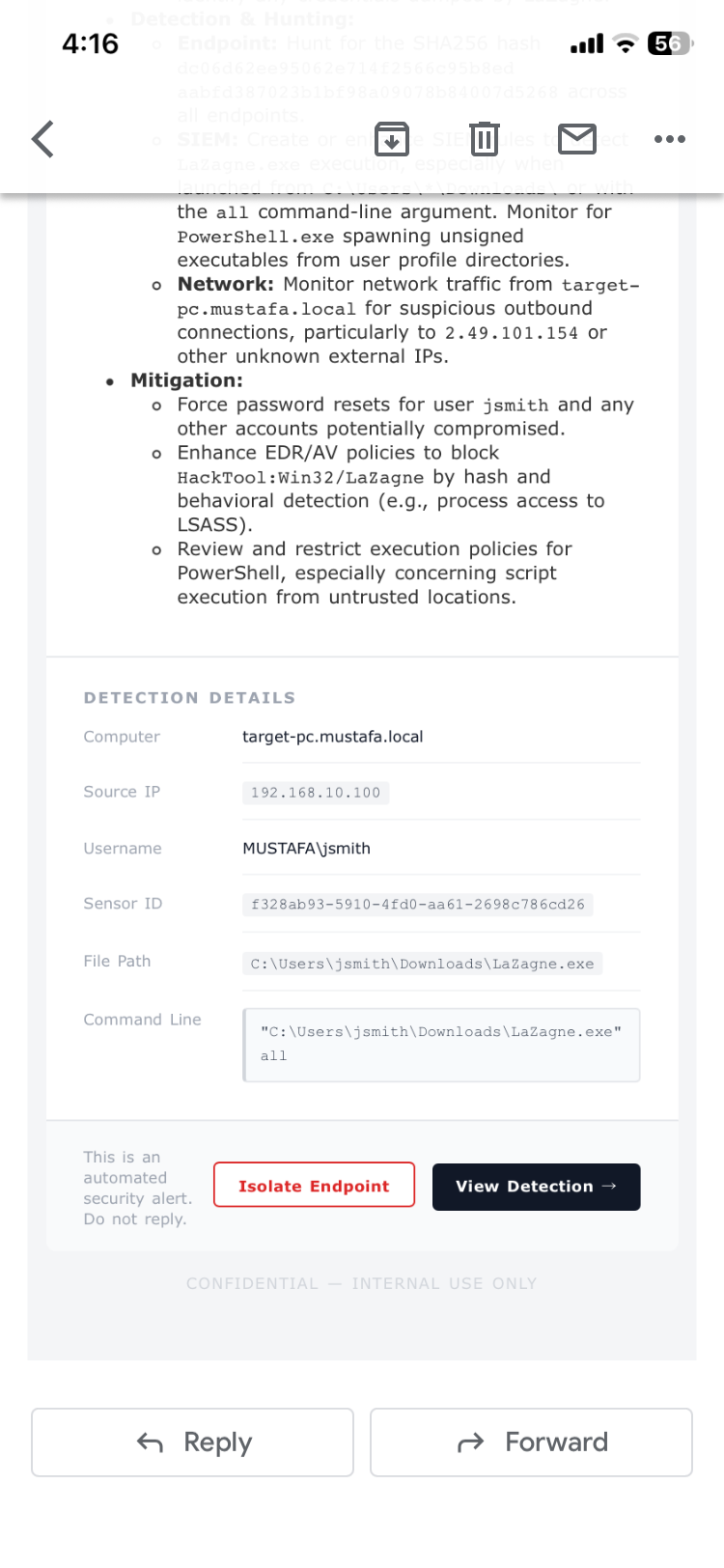 Mail Received
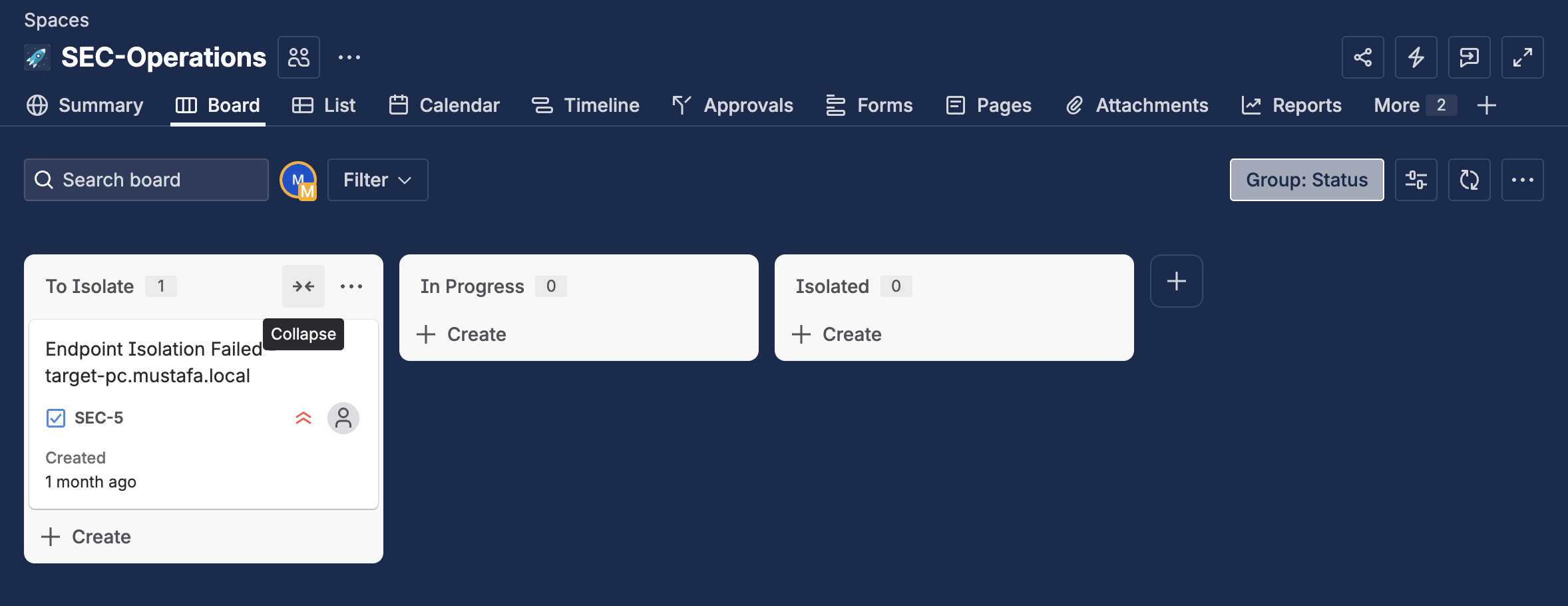 Jira Issue on Failure
Analyst Decision Prompt
- Created a Tines Page (interactive prompt) titled “Isolate Computer?” displaying all detection details and a Yes/No boolean button
- Configured a success message on submission and scoped access to the team tenant
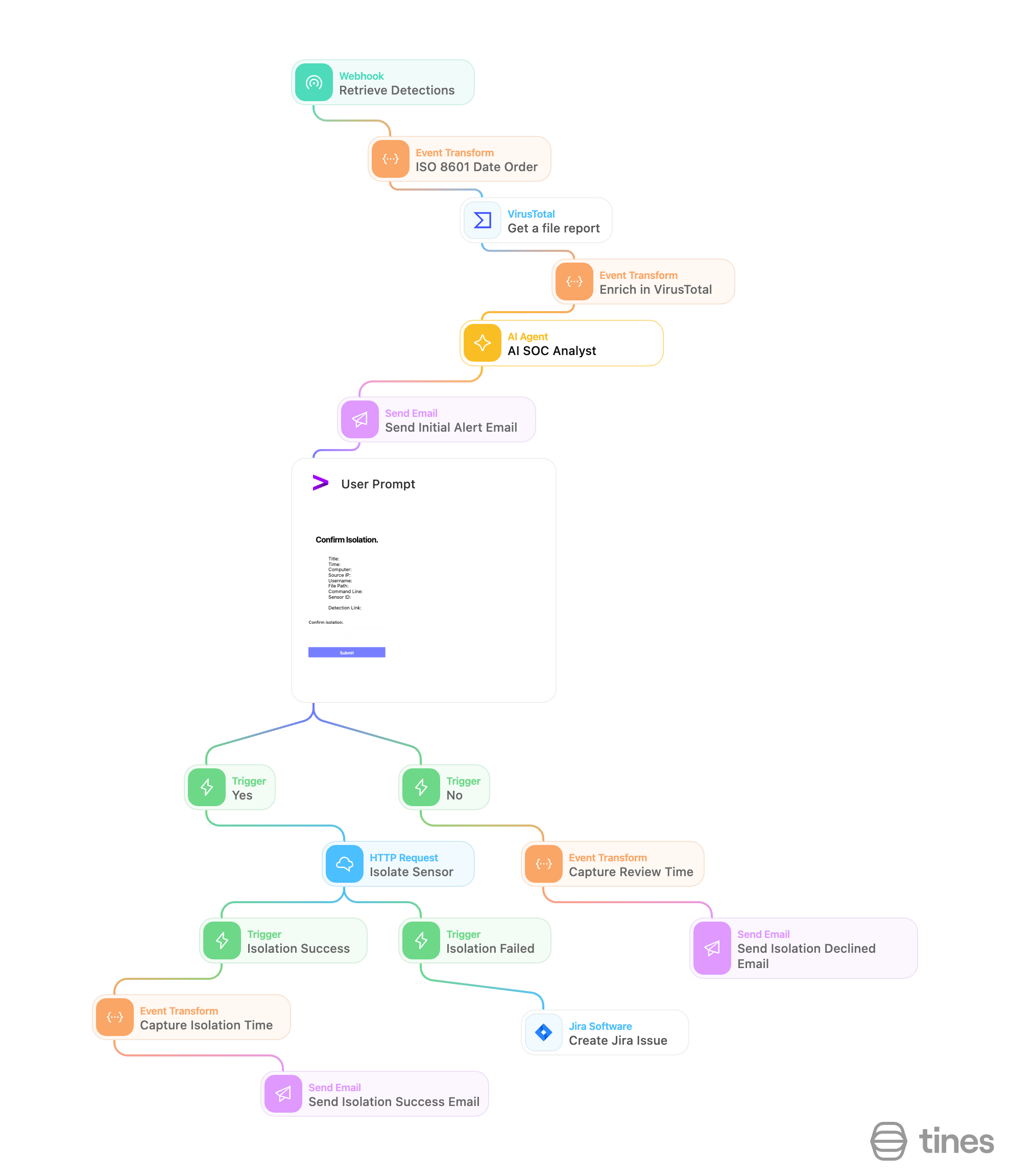 Tines Workflow
Conditional Response Branches
- No branch: If/Else trigger checks
isolate = false→ sends a Slack message: “The computer [hostname] was not isolated, please investigate” - Yes branch: If/Else trigger checks
isolate = true→ calls LimaCharlie’s isolate sensor API using the sensor ID extracted from the webhook payload, authenticated with an org-level LimaCharlie API key stored as a Tines credential - After isolation, a follow-up action calls LimaCharlie’s get isolation status API and sends a final Slack confirmation: “The computer [hostname] has been isolated — isolation status: true”
End-to-End Test
- Re-ran Lazagne on the endpoint to trigger a live detection
- Confirmed Slack and email alerts were received with correct detection data
- Submitted the analyst prompt selecting “Yes”
- Verified LimaCharlie isolated the machine (API returned status 200, host became unreachable on ping)
- Confirmed the isolation status Slack message was sent successfully
Full Playbook Flow
1
2
3
4
5
6
7
8
9
10
11
12
13
14
LimaCharlie detects Lazagne on endpoint
        ↓
Detection pushed to Tines via webhook
        ↓
Tines sends alert → Slack #alerts + Email
        ↓
Tines prompts analyst: "Isolate this machine?"
        ↓
   [Yes] ──────────────────────── [No]
     ↓                              ↓
LimaCharlie isolates endpoint    Slack: "Not isolated,
     ↓                            please investigate"
Slack: "Machine isolated —
isolation status: true"
Key Skills Demonstrated
- Detection Engineering — Writing multi-condition D&R rules with logical operators, case-insensitive matching, and hash-based indicators
- SOAR Playbook Development — Building conditional, multi-branch automation workflows in Tines
- EDR Administration — Deploying and managing LimaCharlie agents, outputs, and API integrations
- API Integration — Authenticating and calling LimaCharlie REST APIs from Tines for isolation and status checks
- Alert Design — Structuring notification messages with dynamic variables for analyst usability
- Human-in-the-Loop Automation — Embedding analyst decision points into automated workflows
- Cloud Infrastructure — Spinning up and hardening a Windows Server on Vultr for lab use